Font Changer: What It Is, How It Works, and Where to Use It
A font changer turns plain text into styles like bold, cursive, or gothic that you can paste into a bio, a caption, or a game name. This guide explains how a font changer works, how to use one in a few steps, and where the styled text works well. You will also learn what it cannot do, so you can avoid broken or unreadable text.

What Is a Font Changer?
A font changer is an online tool that converts the letters you type into styled letters. You type “Hello,” and it shows the same word in bold, script, gothic, bubble, and many other looks. You copy the style you like and paste it into an app.
The name is a little misleading. A font changer does not change the font on your phone or inside Instagram. It swaps each normal letter for a different character that looks like a styled letter. Because the result is text and not a font file, you can paste it into most places that accept text.
People search for this tool under many names: fancy text generator, font style changer, letter changer, and font generator. They all describe the same idea. You can try one with the copy and paste fonts generator while you read.
How Does a Font Changer Work?
A font changer works by using Unicode. Unicode is the shared list of characters that phones, computers, and websites use so they can show the same letters. Besides the everyday A to Z, the list contains many styled letter shapes. If you want the basics, here is a short explainer on what Unicode is.
Many of the styled letters in a font changer come from one Unicode block called Mathematical Alphanumeric Symbols. It holds bold, italic, script, Fraktur, double-struck, sans-serif, and monospace versions of Latin letters, plus some digits and Greek letters. Other styles, such as circled “bubble” letters, come from different Unicode blocks.
These characters were made for math. The current Unicode report on math support (Revision 15, dated 30 May 2017) says the characters in this block are intended only for mathematical or technical notation. Font changers borrow them anyway. That is why the text pastes easily in many apps, and also why some apps and screen readers handle it badly. We cover those limits later in this guide.
How to Use a Font Changer Step by Step
Most font changers follow the same flow. Here is how it works on the Foontify generator, based on its feature list:
- Open the font changer in your browser. There is nothing to download.
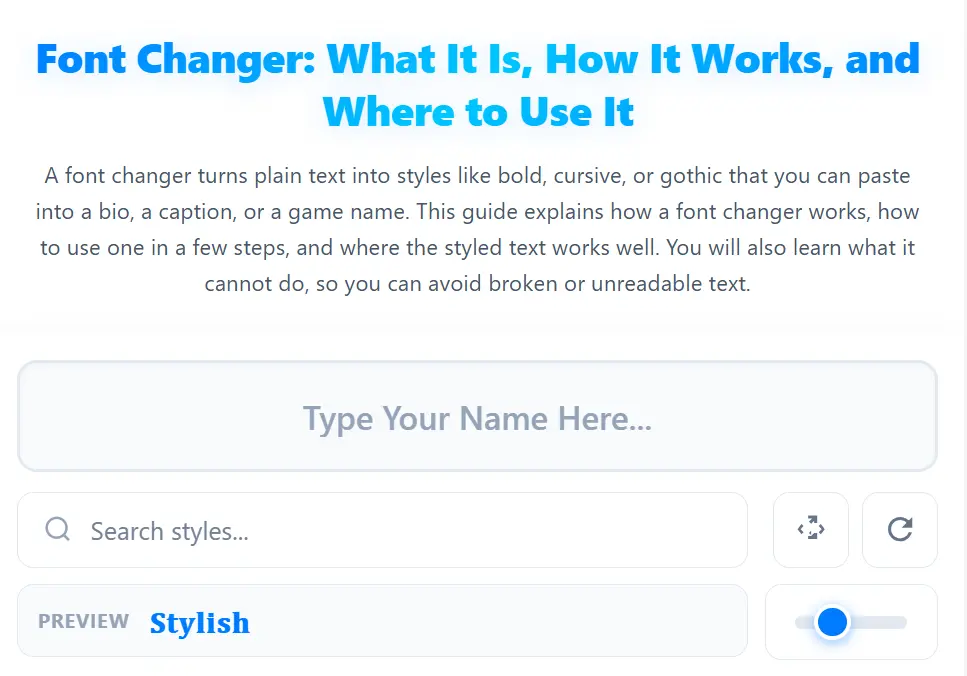
- Type your name in the input box. Every style updates as you type, so there is no Generate button to press.
- Find a style you like. Type a style name in the search box, browse the category tabs (All Styles, Favorites, and others), or press the random style button for fresh ideas. The tabs scroll and drag sideways, which helps on a phone.
- Check the look before you copy. A preview of your name stays pinned at the top while you scroll. Use the size slider to make the text smaller or larger.
- Tap Copy on the style card. The button turns green and shows “Copied” so you know it worked.
- Paste it into your app. Use a bio, status, caption, or name field.
- Save and reset when needed. The heart button saves a style to Favorites. The Reset button clears both the name box and the search box.
If you try a different tool, look for the same basics: instant results, easy search, a clear copy button, and a way to save favorites. A tool that makes you scroll through hundreds of styles with no search or favorites wastes your time.
Popular Font Changer Styles
Different styles suit different jobs. A cursive font changer works well for names. A bold font changer helps one word stand out. A gothic font changer gives a darker, game-style look. The table below shows common styles with the word “Hello” as a sample.
| Style | Sample | Common use | How easy to read |
|---|---|---|---|
| Bold | 𝐇𝐞𝐥𝐥𝐨 | Highlighting a key word in a bio | Easy |
| Italic | 𝐻𝑒𝑙𝑙𝑜 | Soft emphasis, short captions | Easy |
| Cursive / script | 𝓗𝓮𝓵𝓵𝓸 | Names, cute or aesthetic bios | Medium |
| Gothic | 𝕳𝖊𝖑𝖑𝖔 | Gaming names, dark themes | Hard in long text |
| Double-struck | ℍ𝕖𝕝𝕝𝕠 | Headings, short titles | Medium |
| Monospace / typewriter | 𝙷𝚎𝚕𝚕𝚘 | Neat, code-like looks | Easy |
| Bubble | Ⓗⓔⓛⓛⓞ | Playful, cute text | Medium |
| Small caps | ʜᴇʟʟᴏ | Short labels, clean looks | Medium |
The “how easy to read” column is a general guide, not a test result. Readability also changes with the device and the font on the screen.
Small and tiny styles deserve a note. A small font changer or tiny font changer uses small caps or small raised letters. They look neat on one or two words, but they get tiring when you use them for whole sentences.
Where You Can Use Font Changer Text
Styled text is popular because social apps give you few formatting options, and many people are competing for attention in the same small space. In India, DataReportal’s Digital 2026 report counted about 500 million social media user identities in October 2025, equal to 34.1 percent of the population. The same report puts Instagram’s ad reach in India at 481 million. DataReportal warns that ad reach is not the same as active users, so treat these numbers as a sense of scale, not an exact head count.
Instagram bio, name, and captions
Instagram is where most people use a font changer. Instagram’s Help Center states that a bio can be up to 150 characters. Instagram does not give you a font picker for bios and captions, so people paste styled text instead. For ideas on names, see these Instagram stylish name ideas.
To add styled text to your bio:
- Create your styled text in the font changer and copy it.
- Open Instagram and go to your profile.
- Tap Edit profile and open the Bio field.
- Paste the text and tap Done.
After saving, view your profile and check that the whole bio appears. Styled letters are not normal letters, so confirm that nothing was cut off.
WhatsApp, Discord, games, and other apps
On WhatsApp, styled text fits the About line and short status messages. On Discord, people use it for nicknames and server names, and there is a full page of fonts for Discord. Gamers use it for in-game names, as shown in this guide to Free Fire name styles.
| App | Where people paste it | Tip |
|---|---|---|
| Name, bio, captions, story text | Keep words people may search for in plain letters. | |
| About line, status, messages | Test on a friend’s phone to see how it displays. | |
| Discord | Nickname, server and channel names | Check how it looks in the member list. |
| Facebook, X, TikTok | Bio, short captions | Use short phrases, not paragraphs. |
| Games | In-game names | Name rules differ by game, so test before paying for any rename. |
| Headline, posts | Plain text is the safer choice for work profiles. |
Not every app accepts every symbol, and rules change over time. Paste your styled text into the field and check that it saves correctly before you rely on it.
Practical Examples
These examples are illustrative. They are not test results from a real account.
An Instagram name for a home baker. Keep the words people would search for in plain text. Style only the brand name.
- PlainMaya Kitchen | Home Baker
- Styled𝓜𝓪𝔂𝓪 𝓚𝓲𝓽𝓬𝓱𝓮𝓷 | Home Baker
A gaming name. Gothic styles suit game names because short names stay readable.
- PlainShadowKing
- Styled𝕾𝖍𝖆𝖉𝖔𝖜𝕶𝖎𝖓𝖌
Highlighting one word. In a WhatsApp About line, bold one word and leave the rest plain.
- PlainOpen every day, orders by DM
- StyledOpen every day, orders by 𝐃𝐌
The pattern is the same in all three: style a few words, not the whole line. If you do not have a name yet, a stylish name generator can give you ideas first. Then style the one you pick with the font changer.
Font Changer Limits to Know Before You Paste
Styled text looks fun, but it has trade-offs.
Accessible Social, a guide to accessible social media, explains that assistive tools may skip these characters or turn them into confusing sounds. That can leave blind and low-vision users without your message (Accessible Social).
The same source notes that pasted characters may not register as ordinary text on a platform, which can make them unsearchable. If people need to find you by a word, write that word in plain letters.
If a phone or app lacks a font for a symbol, you may see a square box instead. Test on another device when the text matters.
Script and gothic styles are tiring in paragraphs. Keep them to names and short phrases.
Does a font changer work for Hindi or Urdu?
Usually not. The styled letters in most of these tools come from Latin and Greek alphabets plus digits, so they change English letters only. Hindi (Devanagari) and Urdu text typically stays as it is. If you write a bio in two languages, you can style the English part and leave the rest unchanged.
Font changer vs other ways to change fonts
People also use “font changer” to mean other things. This table clears up the difference.
| Method | What it changes | Where the change shows |
|---|---|---|
| Online font changer (Unicode) | Swaps letters for styled characters | Anywhere you paste the text, if the device can display it |
| Phone or browser font settings, or a Chrome font extension | How text looks on your own screen | Only on your device or browser |
| A real font file | The typeface used in a design or document | In software where the font is installed. See how to make a font. |
If you want other people to see your styled text, an online font changer is the one that works, because the styling travels with the text.
Quick fixes
- Boxes or question marks appear: pick a different style, such as bold or italic, which many devices support.
- The text looks different after posting: the app may have changed the characters. Try another style.
- You need plain text again: delete the styled text and retype it, or paste the original from your notes.
Frequently Asked Questions
No. It creates styled text that you copy and paste. Your phone’s own font settings stay the same.
Yes, in most cases you can paste styled text into both fields. Keep any words people might search for in plain letters, and check that the text saves correctly.
Instagram’s Help Center says a bio can be up to 150 characters. Since styled letters are different characters, check that your whole bio saved after you paste it.
The device or app does not have a font that includes that symbol. Try a simpler style such as bold, italic, or monospace, or view the text on another device.
Often not well. Screen readers may skip the characters or read out long symbol names instead of words. For anything important, use plain text.
Usually not. Most tools change English (Latin) letters, digits, and some Greek letters, so Hindi and Urdu text typically stays unchanged.
Choose a small caps or tiny style in the tool. Use it for one or two words, because small styles are harder to read in long lines.
Key Takeaways: Using a Font Changer Well
- A font changer swaps normal letters for Unicode characters that look like styled letters. It does not change any real font.
- It works best for names, bios, and short phrases on Instagram, WhatsApp, Discord, and games.
- It changes English (Latin) letters only in most tools. Hindi and Urdu text usually stays as it is.
- Screen readers and search may not handle styled text well, so keep important words in plain letters.
- Test the result on your own device and on another one before you rely on it.
Ready to try it? Open the font changer, type your name, and copy the style that fits.